.svg)

The Complete Golf Simulator Maintenance Checklist You Need
For most golfers, nothing compares to the pleasure of owning a home simulator. You can practice driving after work, maintain your swing during the winter, and even have a friendly round with your friends without venturing outside of your garage or garden room. This is the worst part: your gleaming setup may quickly lose its appeal if you neglect golf simulator maintenance. In little time, the overall feel goes from high-end to cheap, screens get dirty, and sensors malfunction.
That’s why having a proper routine is key. In this guide, we’ll run through everything you need to keep your setup in tip-top shape, from residential golf simulator maintenance basics to little insider tricks that help you get the most out of your investment.
Why Maintenance Matters

A golf simulator is not a cheap purchase. A projector with a striking cage, sensors, and a high-quality screen is not something that most of us impulsively buy. It is a financial commitment to our game. Therefore, skipping routine maintenance on your simulator is a recipe for trouble, much like you wouldn't leave your golf equipment outside in the weather.
Smooth Performance Every Time
Consistent golf simulator maintenance makes all the difference in how well your setup performs. A system that’s looked after properly runs smoothly without annoying glitches that can spoil your practice session. Your screens and nets will also last far longer before needing replacements, saving you a fair bit of cash in the long run.
Accurate Swing Analysis
It’s not just the structure that benefits either. Keeping sensors and cameras clean and in good condition means your swing analysis stays sharp and reliable, rather than drifting off and giving you dodgy feedback. On top of that, the whole setup feels professional and well cared for rather than scruffy or thrown together.
Long-Term Durability
If you think about the sheer number of balls flying at your screen and the wear and tear from frequent use, it’s clear that a little regular TLC can go a very long way.
Cleaning the Screen Properly

How to clean golf simulator screen materials without causing damage is one of the most often asked concerns by golfers. Impact screens are more than simply large white sheets, thus it's a valid point. They are susceptible to harsh chemicals and are composed of tightly woven fibers intended to absorb high-speed bullets.
Here’s the smart approach:
Stick to a mild soap solution and a soft cloth. A tiny bit of washing-up liquid mixed with warm water is usually enough.
Don’t scrub too hard. Gentle circular motions will lift marks without fraying the fabric.
Avoid bleach or strong detergents, as they can discolour or weaken the fibres.
Let it air dry completely before rolling or covering the screen, otherwise you risk mould.
Regular cleaning doesn’t just keep it looking fresh – it also makes your projected image sharper, since dirt and smudges scatter the light.
Caring for Sensors and Cameras

If you have invested much in launch monitors, cameras, or radar sensors, you are aware that they are your simulator's brain. You're essentially throwing balls into a net without any feedback if you don't have them.
Protecting these tiny pieces of technology like gold dust is part of residential golf simulator maintenance. Store them somewhere dry, keep them dust-free, and sometimes wipe them down with a microfiber cloth. Consider using a dehumidifier if you're in a garage or shed because condensation may be a problem.
Additionally, don't overlook the cables. If you're teeing off in socks, loose wires across the floor are simply waiting for you to trip. Everything is kept organized and safe with cable clamps and neat runs.
Looking After Your Netting and Cage
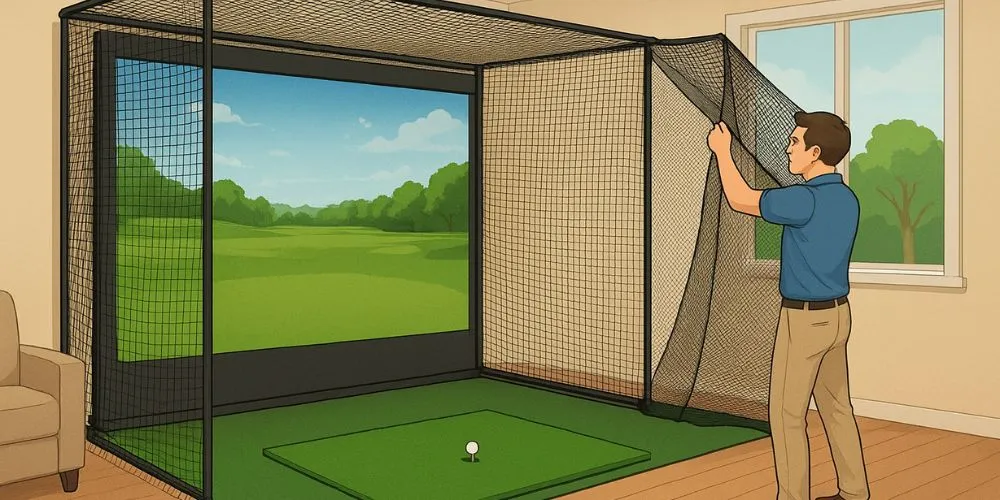
The cage and nets don’t get as much love as the screen, but they’re the unsung heroes of your setup. Without sturdy nets, stray shots can smash windows, dent walls, or even give your telly a new crack.
For golf simulator maintenance on nets, check regularly for frays or weak spots, especially if you’re a big hitter. A tiny tear can become a gaping hole faster than you’d expect. UV-treated nets last longer if you’re outdoors, but indoors you should still keep an eye on them. A quick hoover around the cage area stops dust and fluff from sticking to the net fibres.
Frames also need the occasional once-over. Tighten bolts, check brackets, and if you’ve used a PVC frame for a temporary setup, make sure the joints haven’t loosened.
Flooring and Turf Care
Hitting mats and artificial turf are where the real wear shows up. Repeated swings in the same spot create divots and wear patches. If your mat flooring is double-sided or has a replaceable hitting insert, rotate it every few weeks to even out the wear.
A hoover keeps turf and mats free from dirt, and a damp cloth works if you’ve spilt your brew mid-session. Just like on a real course, a tidy hitting surface makes for better strikes.
Keeping Projectors in Prime Condition
Projectors are often overlooked, but they’re crucial for creating the immersive feel of a simulator. Dust is the main enemy here. Clean the lens with a proper lens cloth, not a T-shirt or paper towel that can scratch it. Replace the filter or blow it clean if your model has one.
Bulbs also have a lifespan, so note the hours of use. If your display is starting to look dim even after cleaning, it might be time for a new bulb. That’s not a sign your simulator is dying – it’s just normal upkeep.
Seasonal Maintenance
British weather isn’t exactly predictable, and if your setup is in an outhouse or garage, seasonal changes can take a toll. Cold snaps can stiffen cables and increase condensation, while hot summers make screens sag if ventilation is poor.
For residential golf simulator maintenance, it helps to:
Add insulation or draught excluders in winter to protect electronics.
Use fans or ventilation in summer to prevent overheating.
Keep everything covered when not in use, especially if your simulator is outdoors or semi-outdoors.
Think of it like winterising a car – a little prep each season keeps everything ticking nicely.
Common Mistakes to Avoid

Plenty of golfers learn the hard way. A few classic mistakes you’ll want to dodge:
Using harsh cleaners on screens and then wondering why they look blotchy.
Ignoring loose bolts on a cage until the whole frame rattles mid-swing.
Leaving balls, clubs, or tees scattered around, only to step on them barefoot.
Skipping software updates for launch monitors or simulator software, which can lead to glitches.
Avoiding these pitfalls is half the battle when it comes to proper golf simulator maintenance.
Cost vs Value
Some golfers worry that maintenance costs extra, but in reality, it saves you money. Replacing a full impact screen or a launch monitor is far pricier than taking a few minutes each week to clean and check everything.
Even simple habits like knowing how to clean golf simulator screen surfaces properly extend its life by years. Over time, that means more value from your setup and less cash wasted on replacements.
Final Thoughts
Owning a simulator is brilliant, but it’s not a “set it and forget it” bit of kit. Regular golf simulator maintenance makes sure your system stays accurate, safe, and enjoyable to use. From cleaning your screen to checking the frame bolts and protecting sensors, it’s all about small, consistent care.
Whether you’ve invested in a top-of-the-range setup or a modest garage build, the same rules apply. Treat it with respect, and it’ll serve you for years. So next time you finish a session, take five minutes to tidy, wipe down, and check things over. It’s a small effort for a massive payoff.
After all, a reliable simulator means you can keep perfecting your swing all year round, no matter how gloomy or rainy the British weather gets.
FAQ's
Q. How often should I carry out golf simulator maintenance?
It’s a good idea to give your simulator a quick check and clean after every few sessions, with a deeper inspection once a month. This way, you’ll catch small issues before they become expensive repairs.
Q. What’s the best way to clean a golf simulator screen?
If you’re wondering how to clean golf simulator screen material safely, the trick is to use a mild soap solution and a soft cloth. Avoid strong detergents or bleach, as they can damage the fibres and shorten the life of the screen.
Q. Do I need to maintain a residential golf simulator differently from a commercial one?
Yes, residential golf simulator maintenance tends to be lighter, since the system won’t see as much daily use as one in a club or pro shop. Still, keeping screens, nets, and sensors in good nick at home will ensure the same level of accuracy and durability.
Q. How do I protect sensors and cameras from damage?
Keep them free of dust, avoid direct moisture, and wipe them gently with a microfibre cloth. In colder setups like a garage, a small dehumidifier can stop condensation from affecting sensitive electronics.
Q. What’s the biggest mistake people make with golf simulator maintenance?
The most common slip-up is neglecting regular care. Many golfers forget about tightening frame bolts, tidying cables, or cleaning screens properly. These small steps make a huge difference in keeping everything looking and working like new.